- info@webcapz.com.ng
- Mon - Sat: 8.00 am - 6.00 pm
We are creative, ambitious and ready for challenges! Hire Our Talents
Over 10 years we help companies reach their financial and branding goals. WebCapz Technologies is a values-driven technology agency dedicated.
No. 1 Oro-Ekpo Junction, Ada-George Road, Port Harcourt, Nigeria.
info@webcapz.com
+234 -704-000-0608
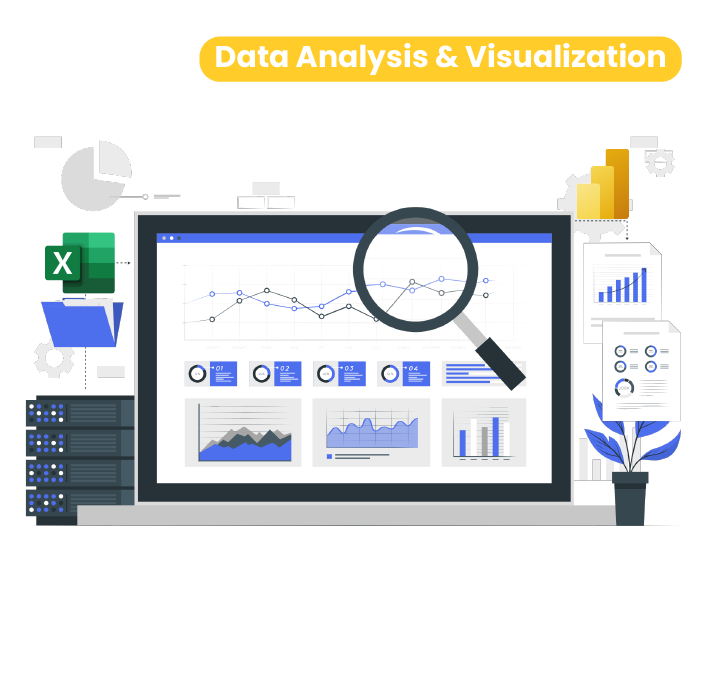
Are you ready to build a future-proof career in one of the most in-demand tech skills today? Our Data Analysis Course in Port Harcourt is designed to equip you with practical, job-ready skills in data analysis and data visualization using industry-standard tools such as Advanced Excel, Power BI and Tableau.
This comprehensive Data Analysis Training will take you from beginner to professional level, helping you analyze, interpret, and visualize data for smarter business decision-making. Whether you want to learn data analysis, switch careers, or enhance your professional value, this program provides the right foundation and hands-on experience to succeed.
At WebCapz Technologies, we don’t just teach theory, we train you to think like a data analyst, solve real business problems, and confidently present insights through powerful dashboards and reports.
To make informed business decisions, organizations must have a data analyst that can help analyze and interpret business data. Gain the tools and credentials to launch a rewarding career in the field of modern technology.
In today’s digital economy, data drives decisions. Organizations across industries finance, healthcare, marketing, logistics, oil & gas, and technology rely on data analysts to uncover insights that improve performance and profitability.
By enrolling in our Data Analysis Course, you gain:
This program positions you for roles such as Data Analyst, Business Intelligence Analyst, Reporting Analyst, and more.
You’ll learn how to clean data, analyze trends, and build interactive dashboards that help stakeholders make informed decisions.
Our Data Analysis Training is structured for absolute beginners and intermediate learners alike. You don’t need a technical background to get started.
By the end of the program, you will confidently handle datasets, create compelling visualizations, and explain insights clearly, skills employers value highly.

Those who are switching career to tech industry for freelancing or to get a remote job.
Those who have programming skills but want to take their skill to next level with real-life projects.
Those planning to travel abroad and seeking hands-on skill that can make them relevant.
WebCapz is the leading IT Training Institute with over 10 years cognitive experience. Our courses are taught by experienced professionals with a wealth of industry experience. Our approach is beginner-friendly, practical and project-based.
We Commit to your Success! We offer world-class support to our students with over 3,000+ students trained in Nigeria. CV review, interview preparation, LinkedIn profile update, job alert within our alumni community and mentorship.
WebCapz Technologies is a registered IT solution and training company in Nigeria. We collaboration with our international partners in the UK and India that allows us to issue recognized certificate to our students at the completion of the training.
Introduction: Getting to Know Excel
Getting Ready for Data Analysis
Relational Data and Data Modelling
INTRODUCTION TO POWER BI
PART 2
PART 3
PART 4
PART 5
PART 6
Capstone Projects
What is Data Visualization?
Importance of Data Visualization in Business
Introduction to Tableau Ecosystem
Tableau Desktop
Tableau Public
Tableau Server & Tableau Cloud
Use cases of Tableau across industries
Installing and setting up Tableau
Practical:
✔ Exploring Tableau interface
✔ First Tableau worksheet
Types of data (Structured vs Unstructured)
Understanding data formats:
Excel
CSV
Text files
Databases
Connecting Tableau to data sources
Live vs Extract connections
Understanding data types and fields
Practical:
✔ Connecting to Excel & CSV files
✔ Data preview and field configuration
Data Interpreter
Renaming fields and aliases
Splitting and merging columns
Handling missing values
Pivoting data
Data filtering and sorting
Data blending vs joins
Practical:
✔ Cleaning a messy dataset
✔ Preparing data for analysis
Dimensions vs Measures
Discrete vs Continuous data
Understanding Marks Card
Chart types and use cases:
Bar charts
Line charts
Area charts
Pie charts
Scatter plots
Maps
Choosing the right visualization
Practical:
✔ Building multiple chart types
✔ Applying formatting and labels
Creating filters (dimension & measure filters)
Context filters
Top N filters
Sorting data
Creating groups and sets
Using sets for advanced analysis
Practical:
✔ Interactive filtering
✔ Creating dynamic groups
Introduction to calculated fields
Basic calculations
Conditional logic (IF, CASE)
Aggregate vs non-aggregate calculations
Table calculations:
Running totals
Percentages
Moving averages
Date calculations
Practical:
✔ Creating KPIs using calculations
✔ Trend and growth analysis
What are parameters?
Creating and using parameters
Dynamic calculations using parameters
Parameter-driven dashboards
Using parameters for user input
Practical:
✔ Interactive dashboards with parameters
Geographic data in Tableau
Working with maps:
Symbol maps
Filled maps
Custom geographic roles
Using latitude and longitude
Map layers and formatting
Practical:
✔ Sales or population map dashboard
Dashboard design best practices
Creating interactive dashboards
Using dashboard actions:
Filter actions
Highlight actions
URL actions
Building stories in Tableau
Data storytelling techniques
Practical:
✔ End-to-end business dashboard
✔ Interactive storytelling project
Trend lines
Forecasting
Clustering
Reference lines and bands
Using analytics pane
KPI dashboards
Practical:
✔ Business performance analysis dashboard
Publishing dashboards to Tableau Public
Tableau Server & Cloud overview
Exporting dashboards
User permissions and security
Best practices for sharing insights
Practical:
✔ Publishing final dashboards
Learners will complete hands-on projects based on real business scenarios such as:
Sales Performance Dashboard
Financial Analysis Dashboard
HR Analytics Dashboard
Marketing Campaign Analysis
Operations & Supply Chain Dashboard
Capstone Project:
✔ End-to-end Tableau project from raw data to executive dashboard
Final capstone data analysis and visualization project using Excel and Power BI
Introduction: Getting to Know Excel
Getting Ready for Data Analysis
Relational Data and Data Modelling
INTRODUCTION TO POWER BI
PART 2
PART 3
PART 4
PART 5
PART 6
Capstone Projects
What is Data Visualization?
Importance of Data Visualization in Business
Introduction to Tableau Ecosystem
Tableau Desktop
Tableau Public
Tableau Server & Tableau Cloud
Use cases of Tableau across industries
Installing and setting up Tableau
Practical:
✔ Exploring Tableau interface
✔ First Tableau worksheet
Types of data (Structured vs Unstructured)
Understanding data formats:
Excel
CSV
Text files
Databases
Connecting Tableau to data sources
Live vs Extract connections
Understanding data types and fields
Practical:
✔ Connecting to Excel & CSV files
✔ Data preview and field configuration
Data Interpreter
Renaming fields and aliases
Splitting and merging columns
Handling missing values
Pivoting data
Data filtering and sorting
Data blending vs joins
Practical:
✔ Cleaning a messy dataset
✔ Preparing data for analysis
Dimensions vs Measures
Discrete vs Continuous data
Understanding Marks Card
Chart types and use cases:
Bar charts
Line charts
Area charts
Pie charts
Scatter plots
Maps
Choosing the right visualization
Practical:
✔ Building multiple chart types
✔ Applying formatting and labels
Creating filters (dimension & measure filters)
Context filters
Top N filters
Sorting data
Creating groups and sets
Using sets for advanced analysis
Practical:
✔ Interactive filtering
✔ Creating dynamic groups
Introduction to calculated fields
Basic calculations
Conditional logic (IF, CASE)
Aggregate vs non-aggregate calculations
Table calculations:
Running totals
Percentages
Moving averages
Date calculations
Practical:
✔ Creating KPIs using calculations
✔ Trend and growth analysis
What are parameters?
Creating and using parameters
Dynamic calculations using parameters
Parameter-driven dashboards
Using parameters for user input
Practical:
✔ Interactive dashboards with parameters
Geographic data in Tableau
Working with maps:
Symbol maps
Filled maps
Custom geographic roles
Using latitude and longitude
Map layers and formatting
Practical:
✔ Sales or population map dashboard
Dashboard design best practices
Creating interactive dashboards
Using dashboard actions:
Filter actions
Highlight actions
URL actions
Building stories in Tableau
Data storytelling techniques
Practical:
✔ End-to-end business dashboard
✔ Interactive storytelling project
Trend lines
Forecasting
Clustering
Reference lines and bands
Using analytics pane
KPI dashboards
Practical:
✔ Business performance analysis dashboard
Publishing dashboards to Tableau Public
Tableau Server & Cloud overview
Exporting dashboards
User permissions and security
Best practices for sharing insights
Practical:
✔ Publishing final dashboards
Learners will complete hands-on projects based on real business scenarios such as:
Sales Performance Dashboard
Financial Analysis Dashboard
HR Analytics Dashboard
Marketing Campaign Analysis
Operations & Supply Chain Dashboard
Capstone Project:
✔ End-to-end Tableau project from raw data to executive dashboard
Final capstone data analysis and visualization project using Excel and Power BI
//Take the next step and speak to our admissions team.
Yes, we accept installment payment. You can discuss with our course administrator on available payment plans.
No prior programming experience is required. However, you need to know how to operate the computer efficiently. Our training approach is beginner friendly, and we work on several real-world projects to help our students have a deeper understanding of each module.
We do not guarantee job. However, we do refer our students for jobs as different organization do reach out to us to hire our students. Some of our students have gotten job through this process.
Depending on your budget, Core i7, 16GB RAM with SSD is best. However, core i3 or i5 with 4GB or 8 GB RAM HDD will also work fine. It can be HP, DELL, Mac or any other brand.
Yes, our training is physical at Ada-George, Port Harcourt. However, those outside Nigeria or living far away can join us online via zoom or Google meet. The experience is similar.
Enroll today in the Digital Marketing Course at WebCapz Technologies and gain skills that open doors to global opportunities.
WhatsApp us